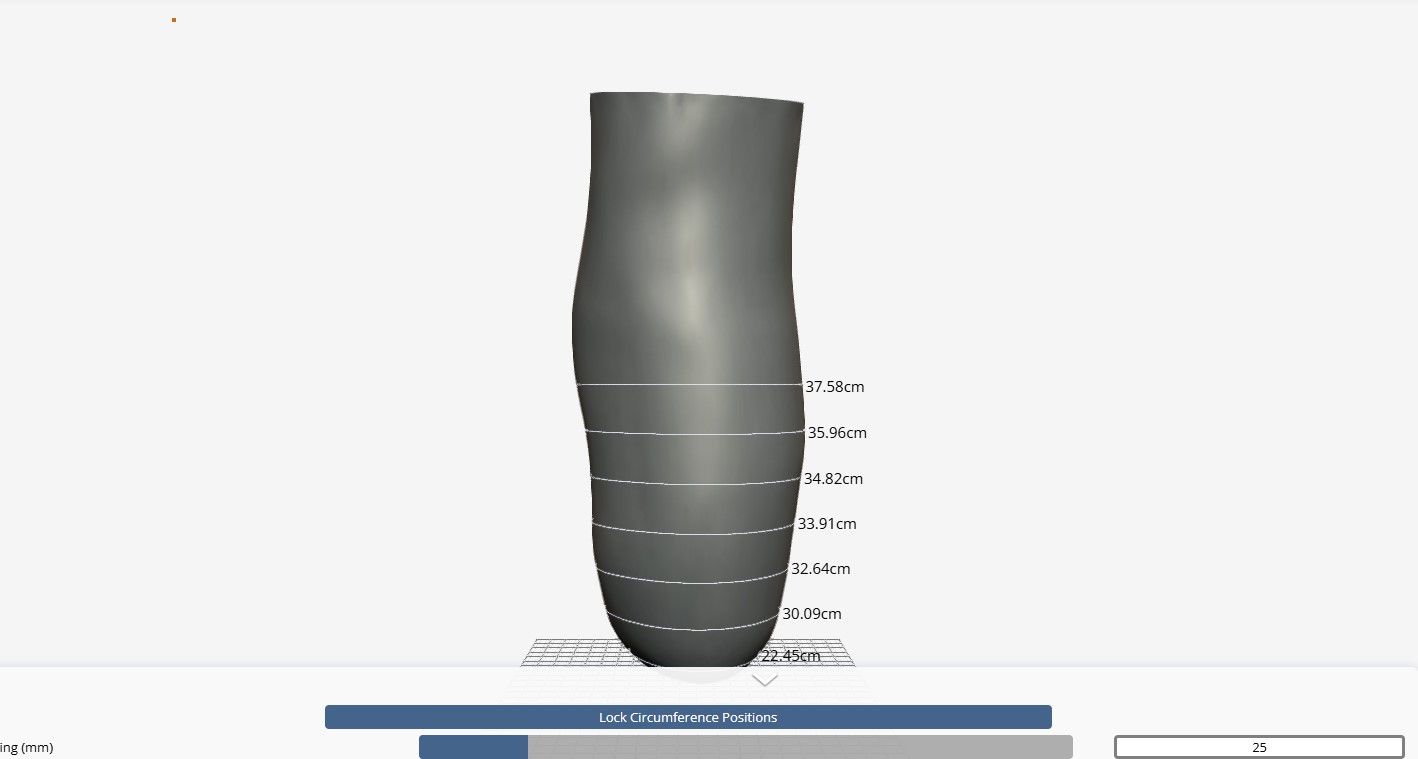
You can view the final design and measurements on FabOne using the Galileo CAD Viewer.
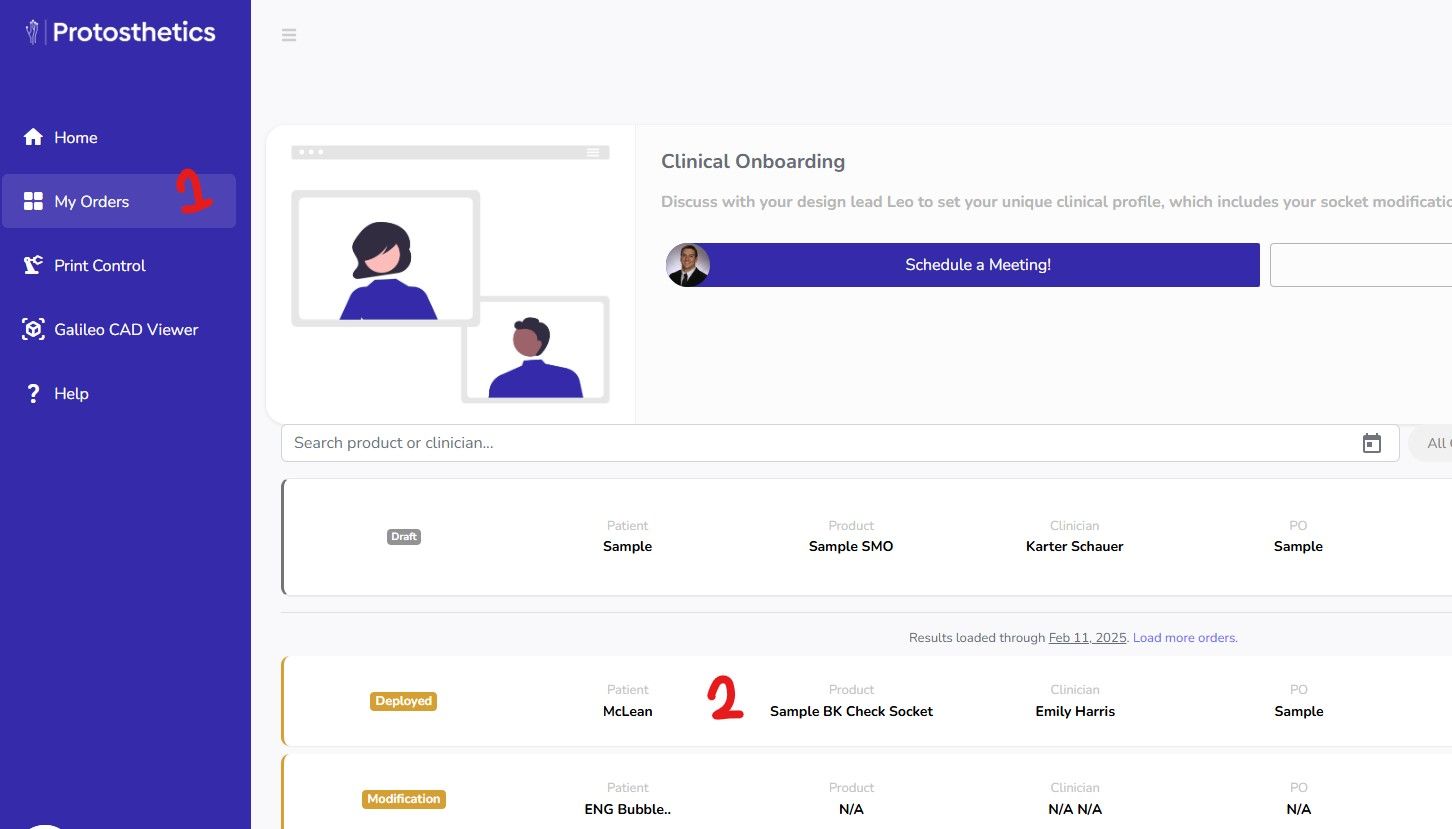
- Navigate to the FabOne "My orders" section and click into the desired order.
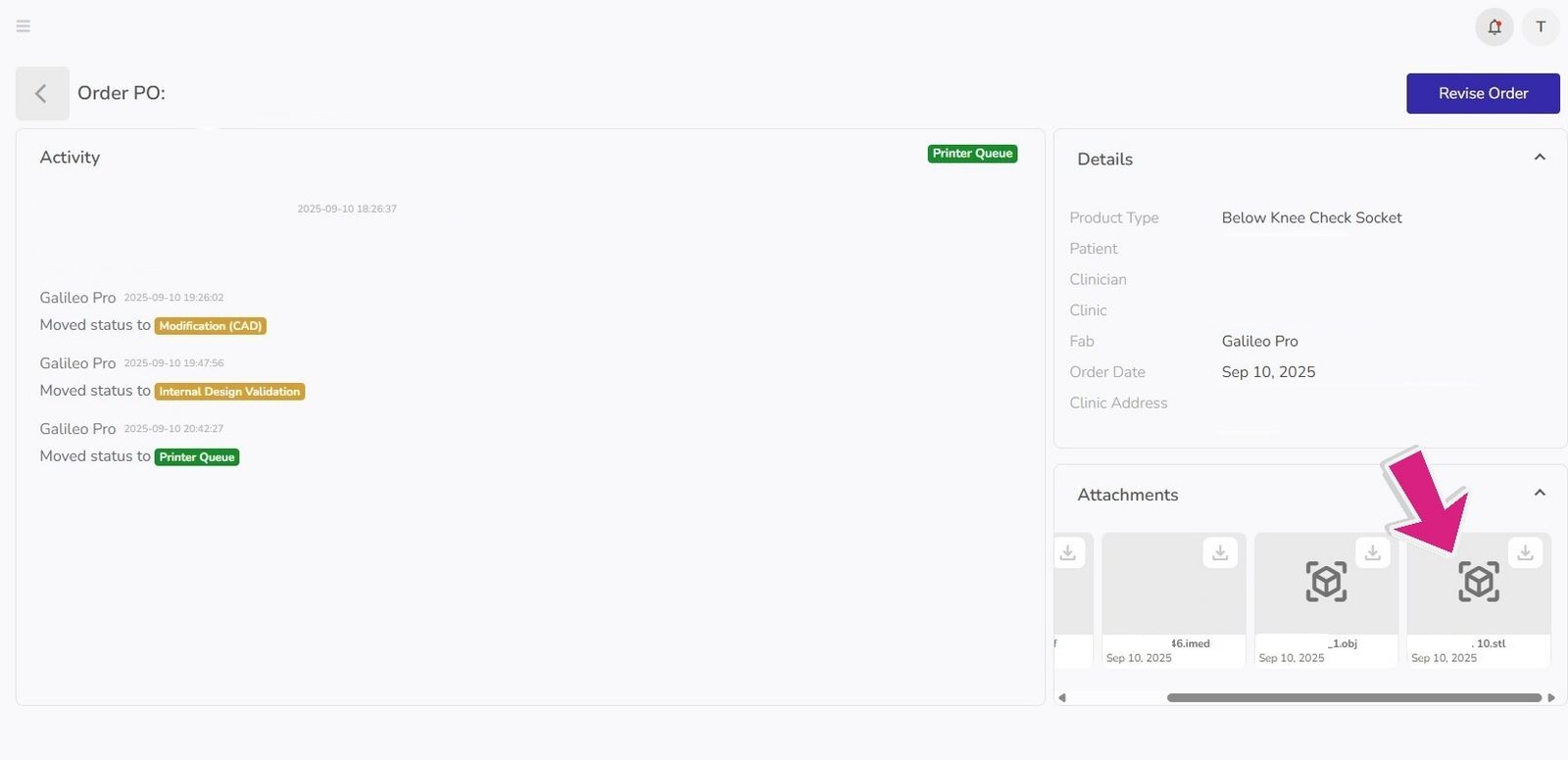
- Once you have opened the desired patient's order, navigate to the attachments and click the 2D STL file. Note, you may need to scroll left and right to see the 2D STL.
- The Model view will open in another web page and you can see the final measurements applied to the design. The measurements are from the inside of the socket, not the outside.