
Needed Tools
- M4 Hex Key
- Replacement Bed
Replacing the Bed
1. On the main screen, select Move and Home. Wait for the printer to finish.
2. On the move screen, select 50 on the bottom right and + on the Z-Axis until the bed is about 4-6 inches from the toolhead. Then unplug the power to the printer.
Selecting "-" instead of "+" will cause the bed to CRASH into the toolhead.
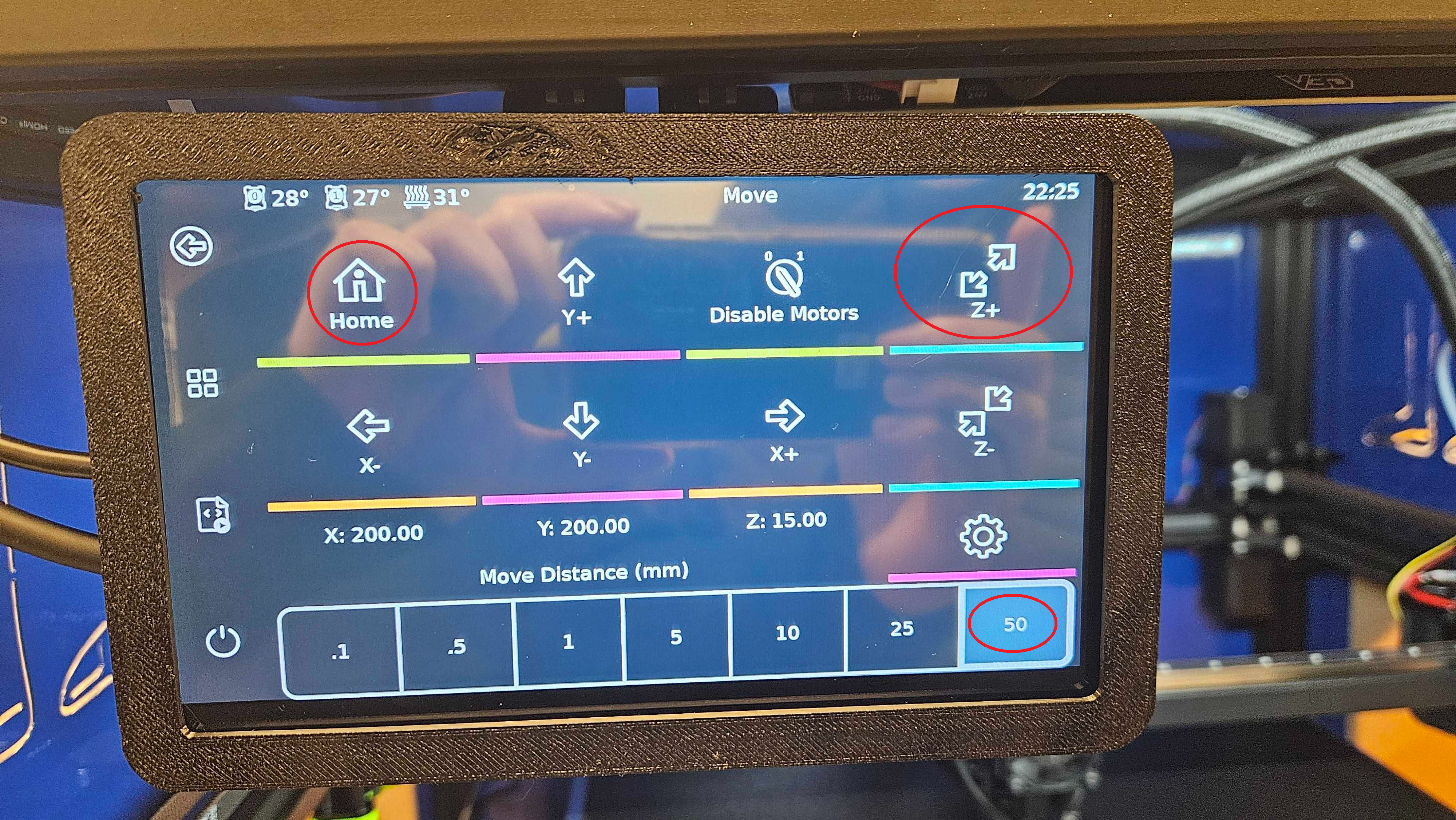
Note: Performing the next steps without moving the bed in steps 1-2 can cause damage to the toolhead or applicable motors
3. On the underneath side of the bed, unplug the green connector cable and the grounding wire. It lightly pulls apart!
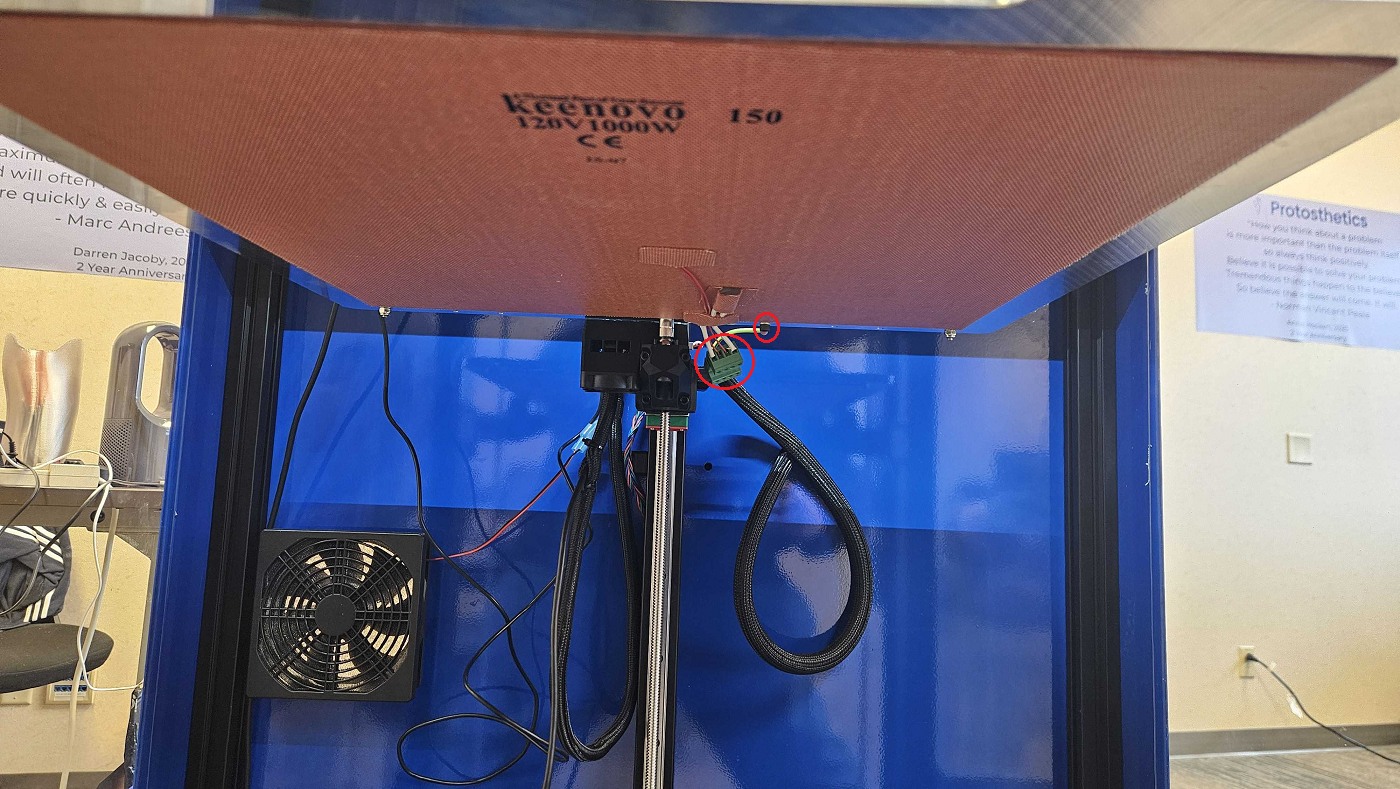
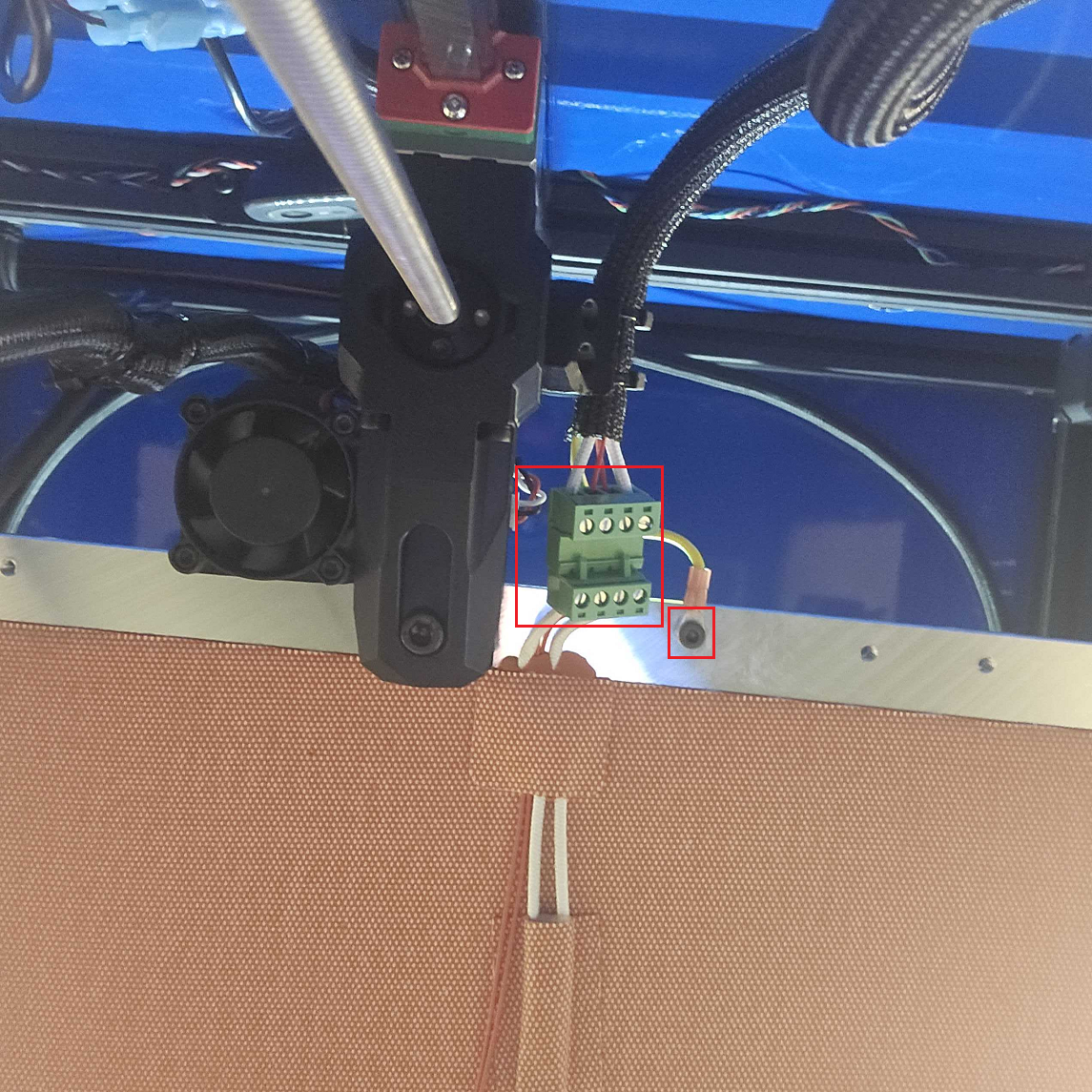
4. Lift the bed up and directly out of the printer. Then push the new bed into place. See the video Below:
5. Plugin the grounding wire from step 3.