
- Click Print Control on the left side:

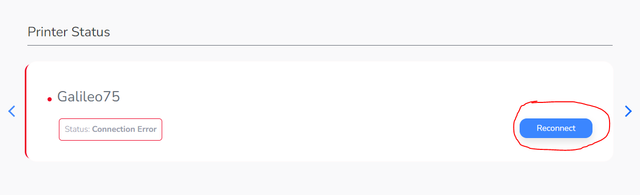
- Click “Reconnect” on the right-hand side:
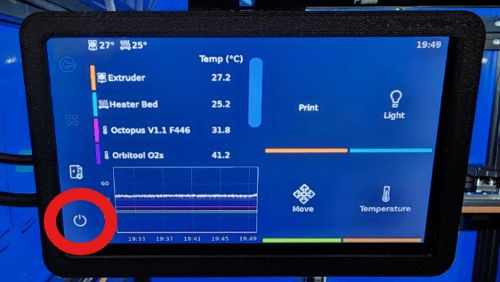
- On the display, locate and press the Power icon at the bottom left.
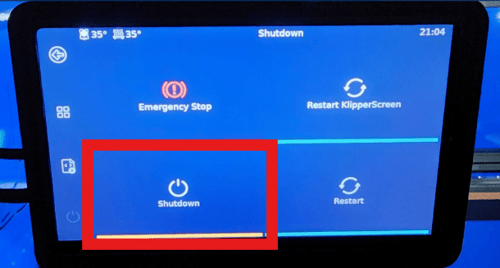
- After selecting the Power Icon, select Shutdown.
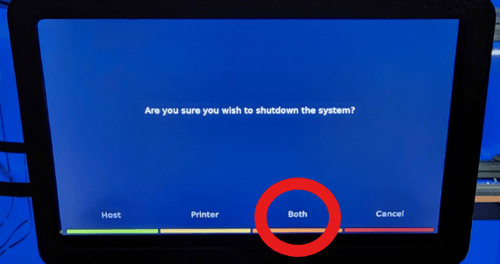
- Select Both, then the screen will run lines of code and then turn black. Wait 1 minute before moving to the next step.
- Unplug both power cord and ethernet cord. Wait about 30 seconds. Then, plug the ethernet back in first and the power cord in second.
If the above troubleshooting has not resolved the issue, ensure your hardware is working correctly:
- Attempt to plug your ethernet cable into another ethernet accessible device.
- If your device isn't receiving a connection, try another cable.
- If neither cable is working, try another ethernet port on your wall/router.