
With us now offering a larger spool of PC Blend, we realized the spool was not staying on the holder while printing with our Galileo O&P and Galileo Pro 2.0 printers. Good news is we designed a spool bushing to resolve this issue!
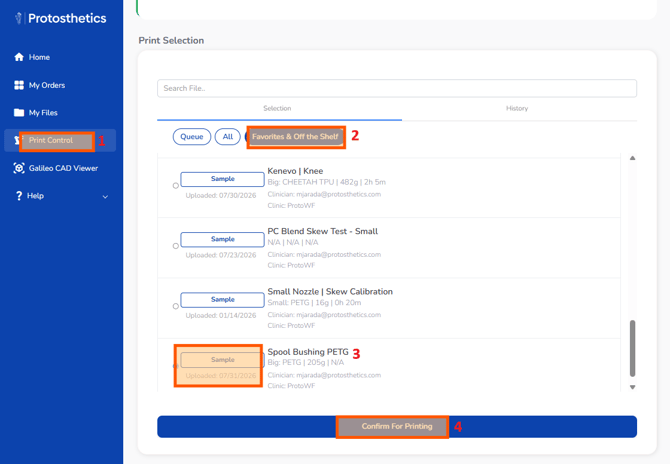
1. Please log into FabOne and go to the Print Control section.
2. Locate the Favorites & Off the Shelf products.
3. Search for "Spool Bushing PETG" and select it.
4. Click on "Confirm for Printing" to start the print. Make sure you have PETG loaded in the Big Toolhead before starting the print.
5. Once the print is completed, place the bushing on the spool holder whenever printing with PC Blend.