
Select My Orders on the top left portion of FabOne:
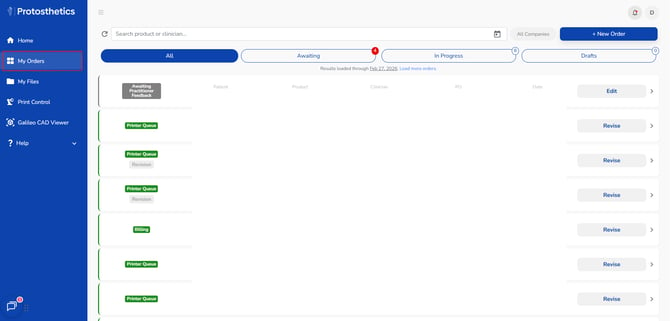
What does each status mean?
Galileo Orders:
- To Do - We have successfully received your order and haven't begun working on it yet
- Modification - We are working on the order now
- Awaiting Your Feedback - We have asked you a question or sent an order validation
- Internal Design Validation - We are finishing the validations on your order
- Printer Queue - Your order is located in your Print Control and the work on this order is complete
- Resolved - This order does not count against your designs for the month, but is complete
CFAB Orders:
- Order Intake - We haven't begun working on your order
- Shipping - Your order is getting ready to ship
- Billing - Your order has shipped and our billing team will send an invoice soon, if needed
- Completed - Your order has been shipped and our billing team has closed