
Here is a quick guide to utilizing the Galileo CAD Software:
- You'll need an .stl or obj file of your patient. The Galileo Scanner App produces .obj files.
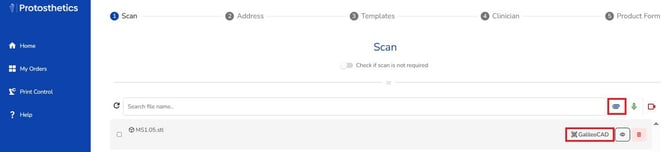
- You'll begin submitting an order as normal, select the paperclip to attach your scan, then select Galileo CAD after it uploads.
Here are a couple videos to help with utilizing the Galileo CAD Software:
Note: Let the Protosthetics team know of any bugs or questions with the Galileo CAD Software. It's still in Beta and we appreciate all feedback.