
When the printer fails to level, you'll need to replace the Beacon Sensor. Here is our guide to the process:
Tools Needed:
- 2mm Hex Key
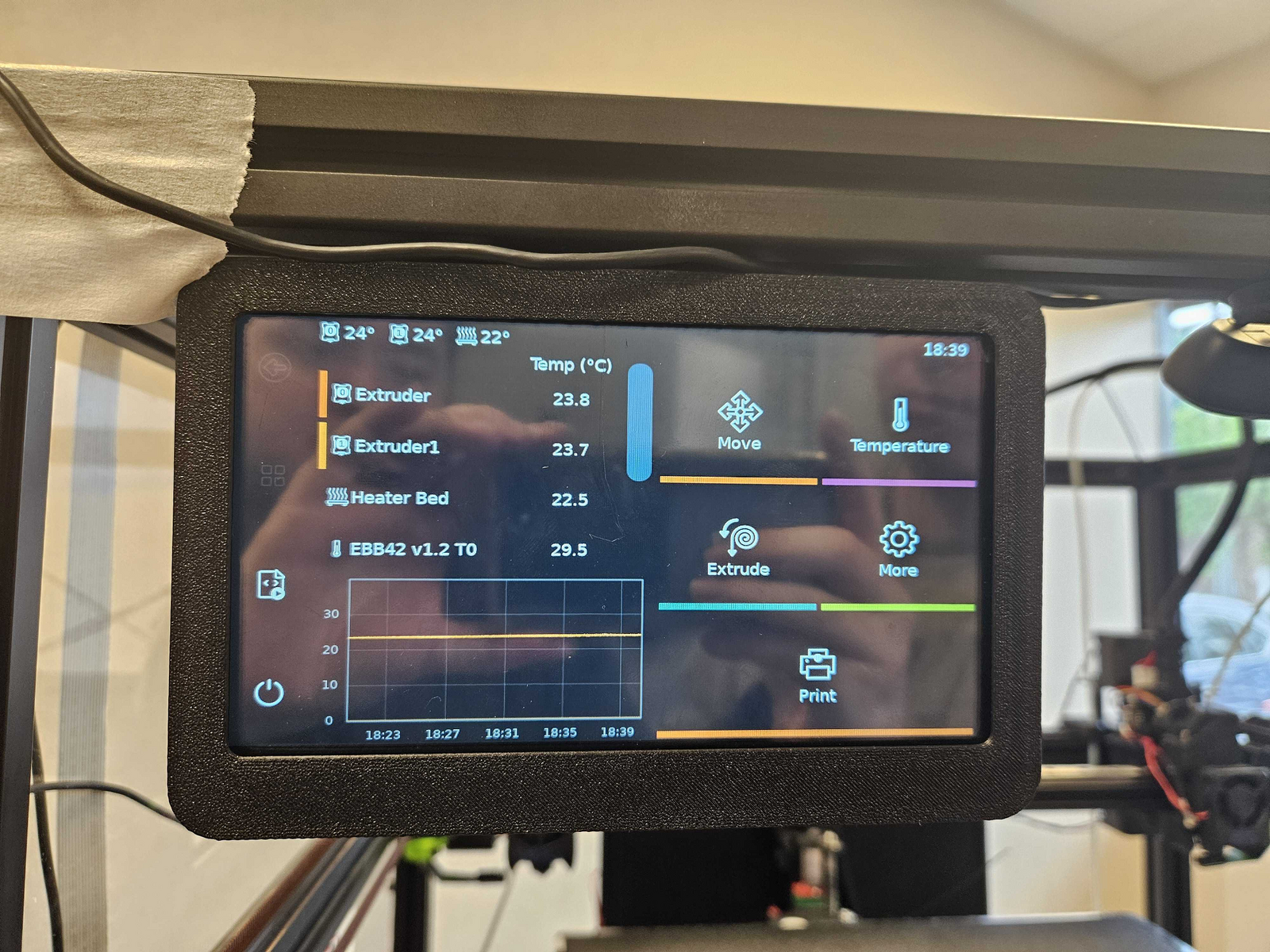
1. On the main screen, select the Move option on the Main Screen, then select Home Button.
Note: You cannot change the Z-Axis (Bed Height) until all axis have been homed through the Home Button
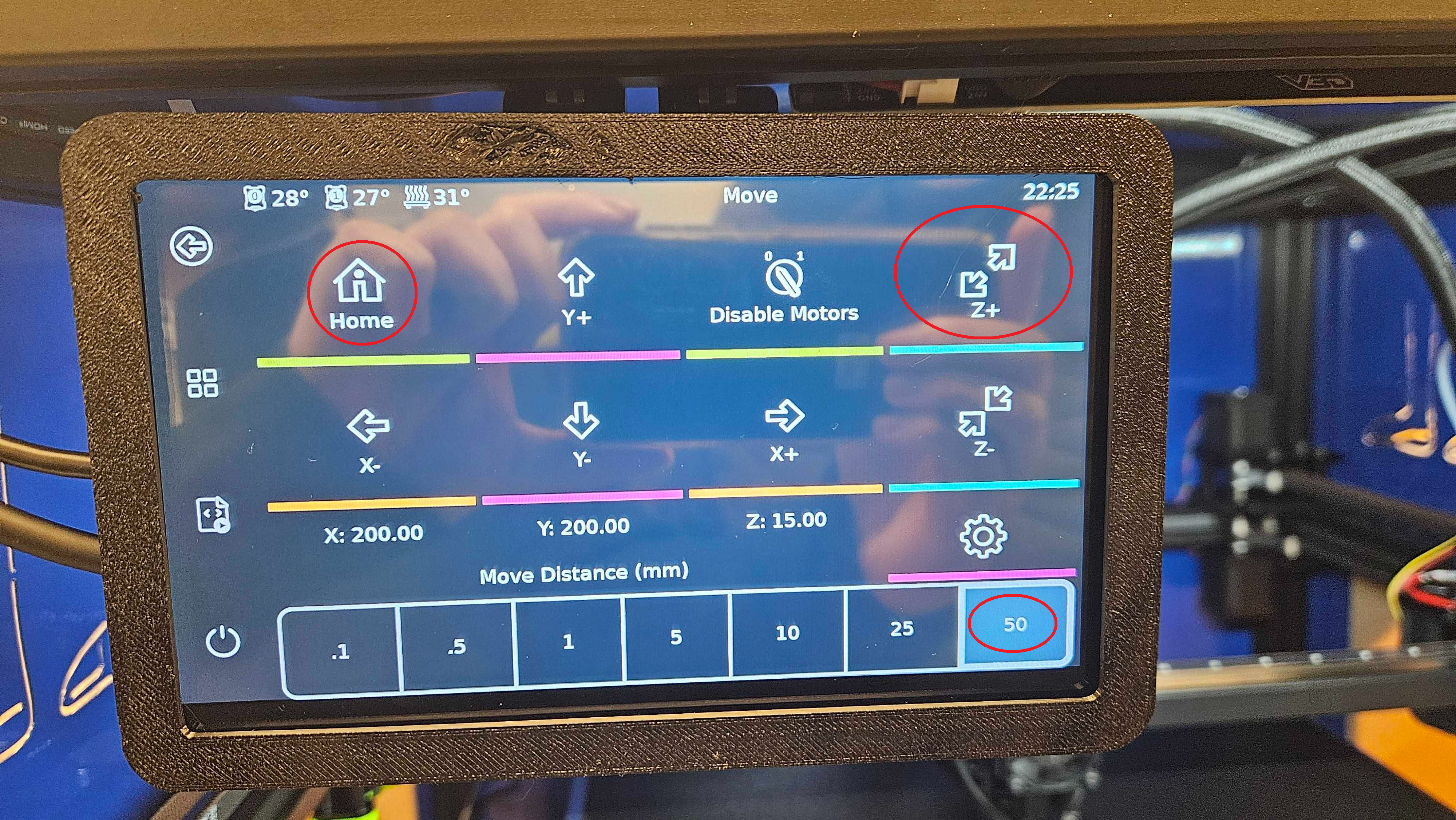
2. Select the "Z+" Button on the Right until the bed is about 6 inches below its home position:
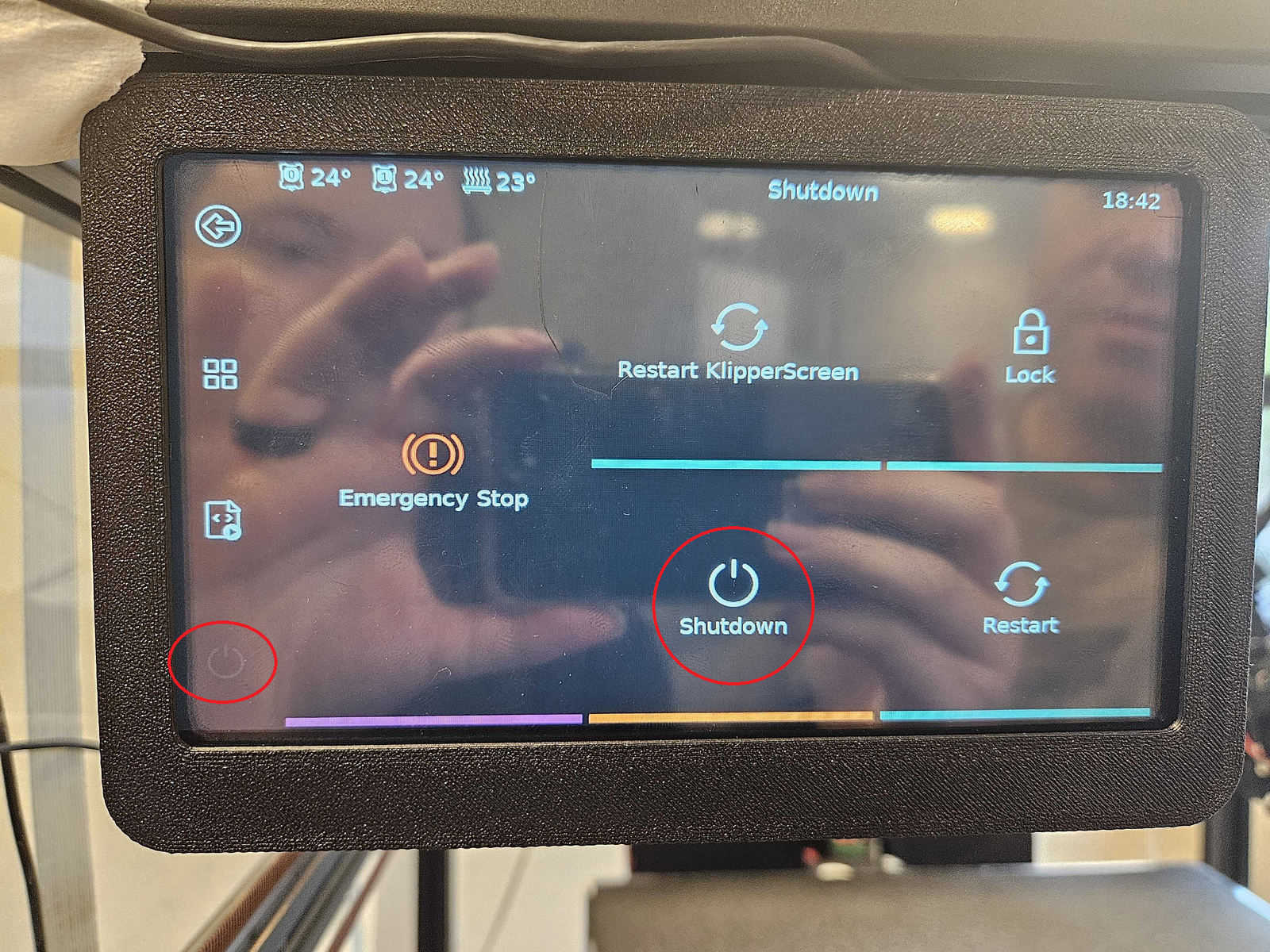
3. After the bed is lowered, turn the printer off using the power button on the main screen, then select Shutdown:
4. After the printer has shut down, carefully pull the toolheads forward and look at the bottom of the Right Toolhead. Remove the two screws circled in red and the sensor will fall down.
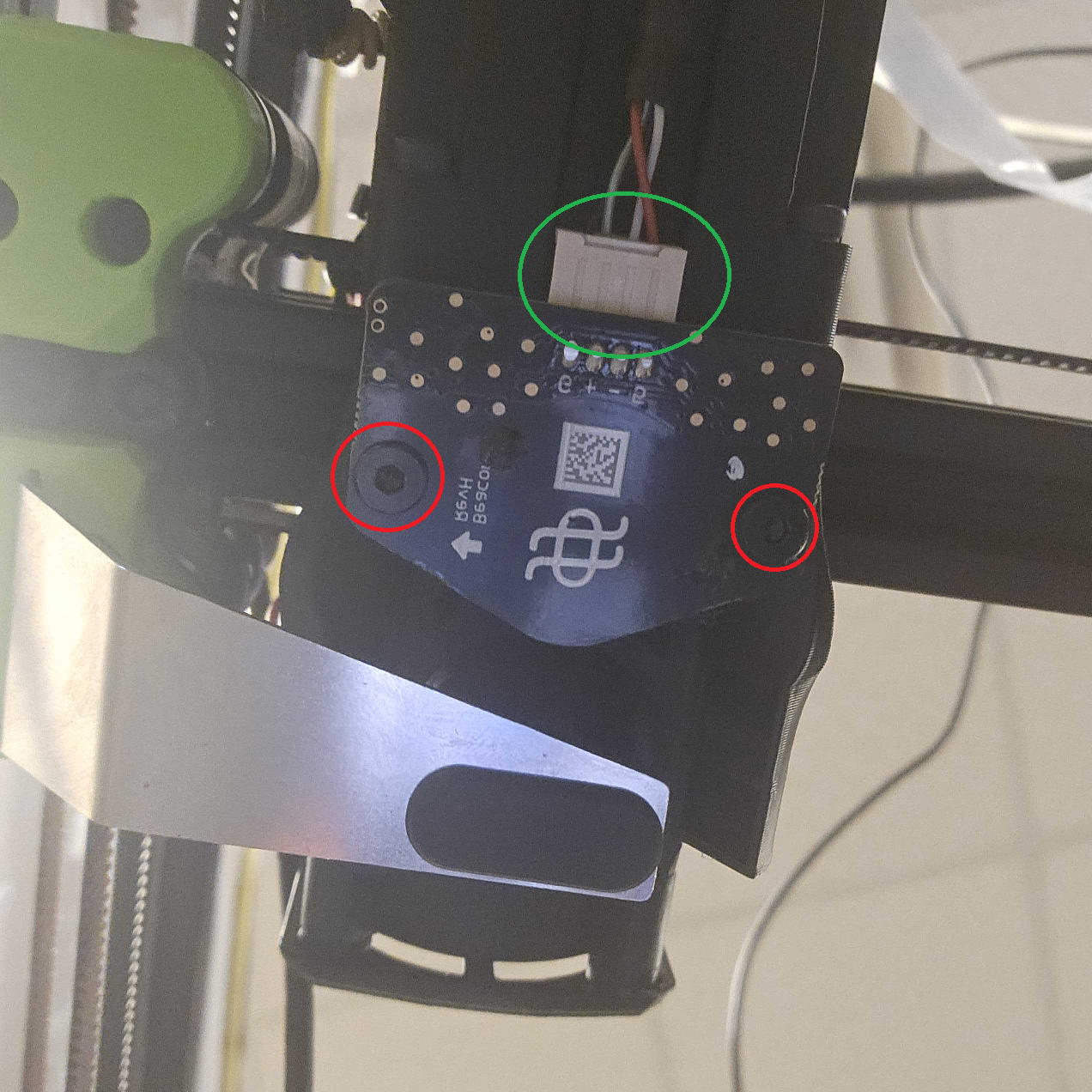
5. After the plate has been removed, unplug the old sensor circled in green and plugin the new sensor.
6. Install the new sensor using the prior screws. Turn the printer back on by unplugging and plugging it back in.
You have successfully swapped the Beacon Sensor