
If you have Ethernet plugged in but can’t get the printer to come online, follow the below troubleshooting.
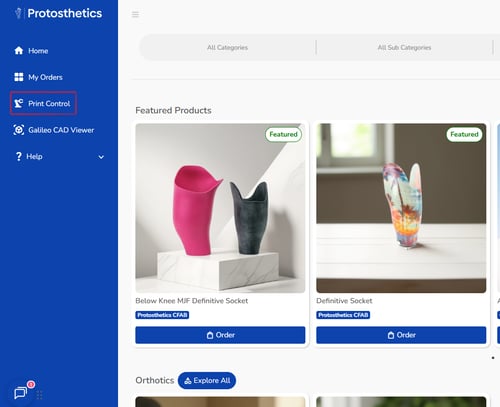
- Click Print Control on the left side:
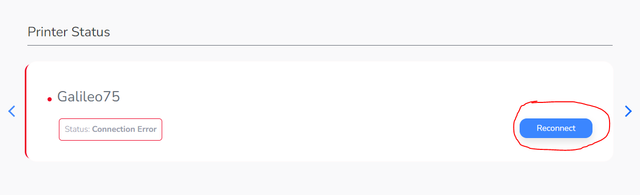
- Click “Reconnect” on the right-hand side:
- Unplug the power cord behind the kiosk, wait 10 seconds, and plug it back in. (It’s important we try this first as unplugging the ethernet may make it come online later than usual).
- If still offline after a few minutes, unplug both power cord and ethernet cord. Wait about 30 seconds. Then, plug the ethernet back in first and the power cord in second.
If the above troubleshooting has not resolved the issue, ensure your hardware is working correctly:
- Attempt to plug your ethernet cable into another ethernet accessible device.
- If your device isn't receiving a connection, try another cable.
- If neither cable is working, try another ethernet port on your wall/router.