
Scanning with your iPhone can be a great option when capturing a patient limb or plaster positive. You can scan with the iPhone alone using the front-facing camera. Or, you can scan with the assistance of a mirror.
Scanning with an iPhone
Using the front-facing camera may take a little practice, but it works beautifully to scan patient limbs. See the below video for a good idea on how to get started.
Scanning with a mirror attachment
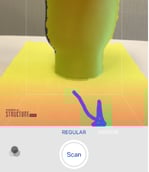 If you have a hard time seeing what you're doing using just the iPhone, you may consider adding a mirror attachment.
Note: Toggle on "MIRROR" mode before starting your scan (pictured right). This will reverse the final scan so it doesn't appear mirrored.
See the below video for a reference on what phone positioning actually looks like using the mirror.