
Remove the Toolhead and BL Touch mount from the Printer
1. Disconnect the cables from the following ports
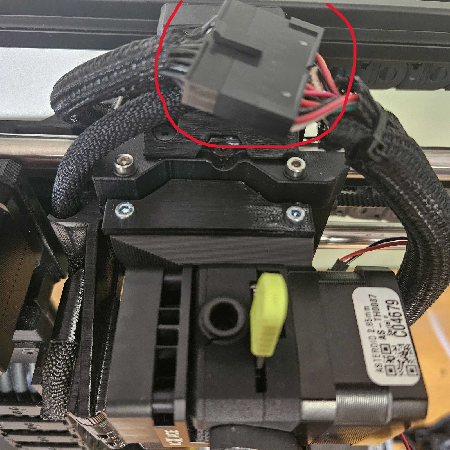
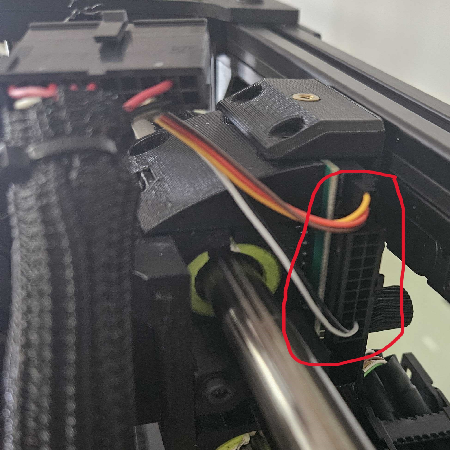
2. Undo the Two screws on the Top of the Toolhead as shown in the picture
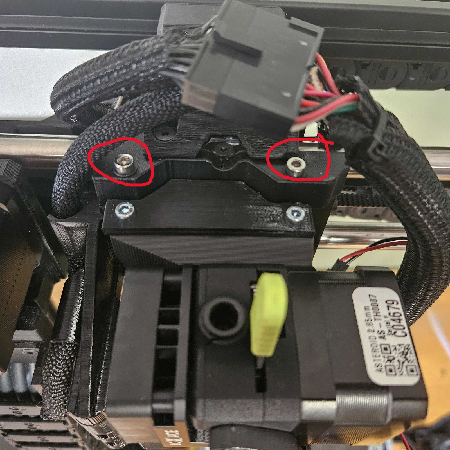
Note: Be sure the toolhead has cooled down, before removing the backscrew
4. After the Backscrew has been removed, the Toolhead will detach from the mount.Note: The screws can be left on the bed as the bed is magnetic.
With the Toolhead and BL Touch Removed, let's move to remove the BL Touch Probe
Note: Be Careful, the probe is very fragile
1. Remove the Hex Screw from the BL Touch's Chamber using a 2.5 mm hex key
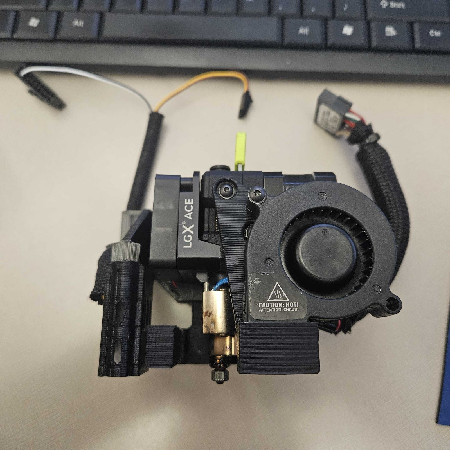
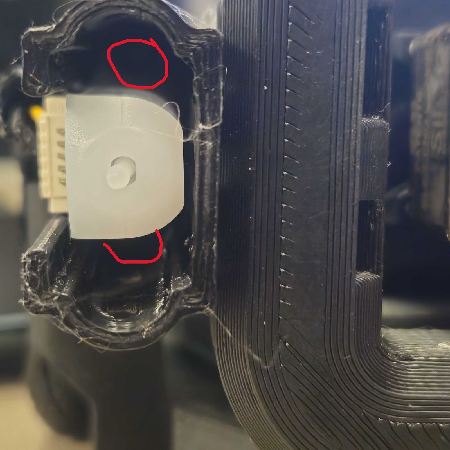
2. With the chamber removed, let's remove the probe from the chamber, it should just slide out.
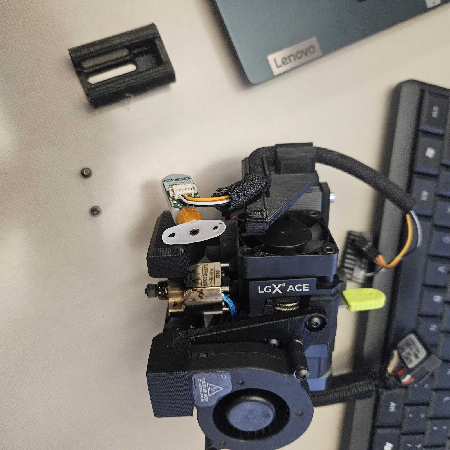
Note: Carefully Disconnect the Cable on the side of the BL Touch Probe
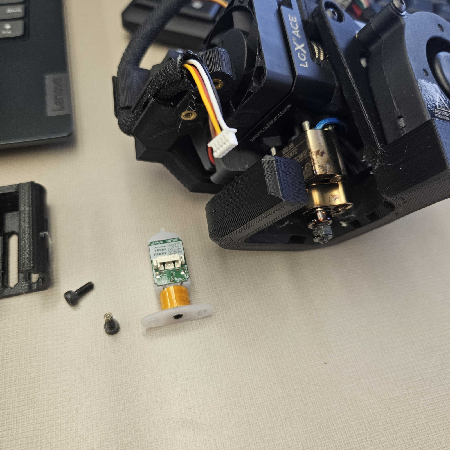
Note: Remember how may times you turned the hex key to unscrew the stud, you'll need it for later
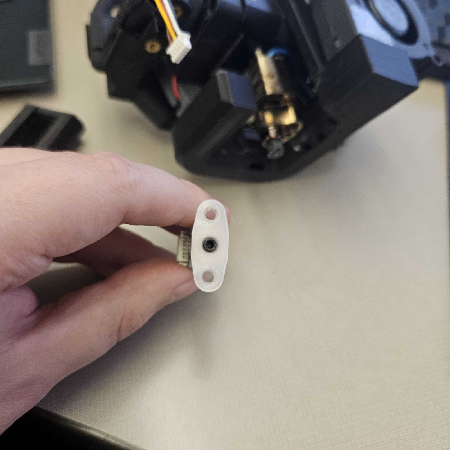
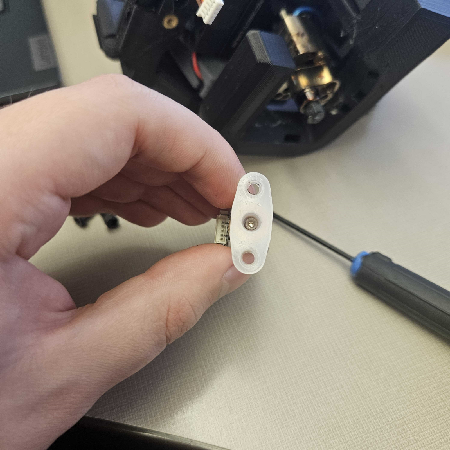
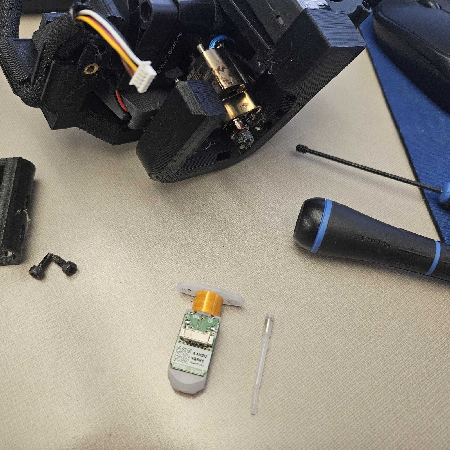
4. Insert the new probe and screw the threaded stud back in
Note: Turn it in approximately how many times you unscrewed it.
5. Reattach the BL touch into its chamber and screw the bolts back into the BL Touch Mount
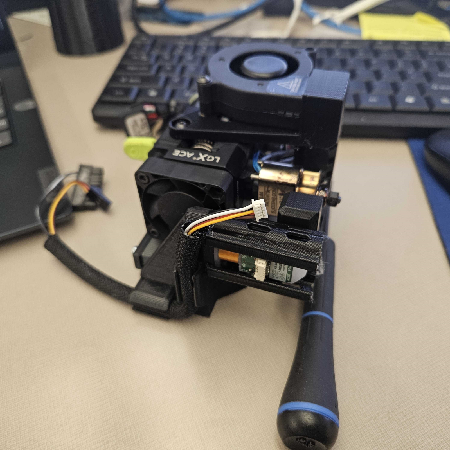
Note: Carefully Reinsert the cable you removed before into the probe
With the BL Touch Probe Replaced, reattach the toolhead to the printer. Just reverse the initial steps to remove the toolhead from the Printer
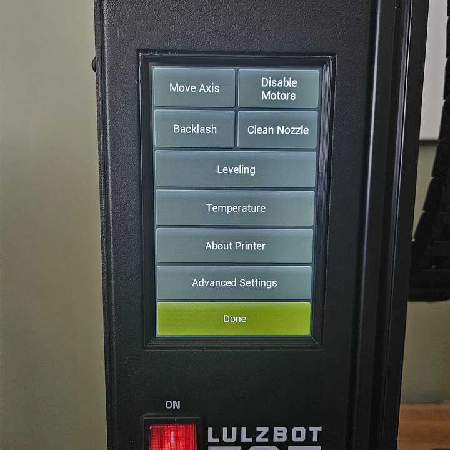
1. With the toolhead reattached and everything plugged in, let's turn the printer on, and Select: Menu → Leveling → Self-Test
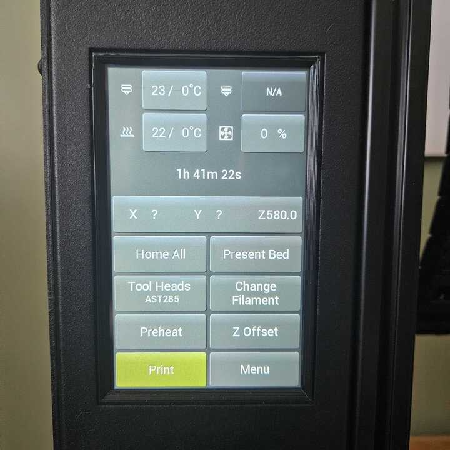
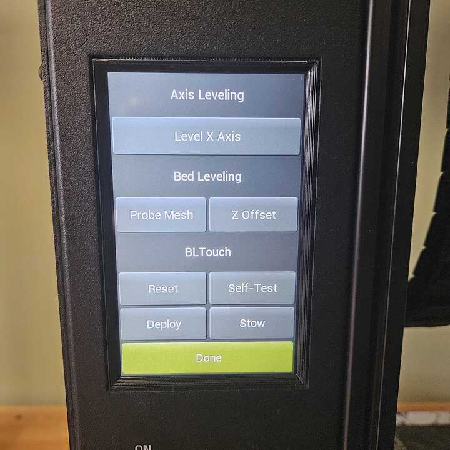
2. Select Self-Test, and the Probe should extend and retract 10 times in total.