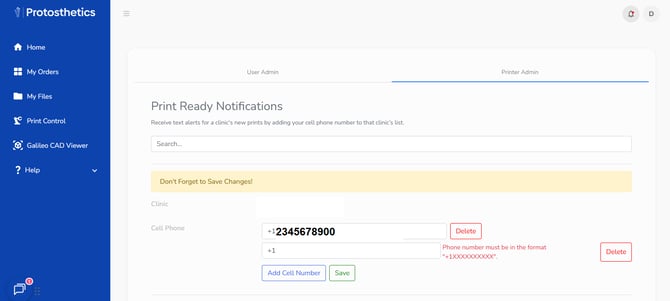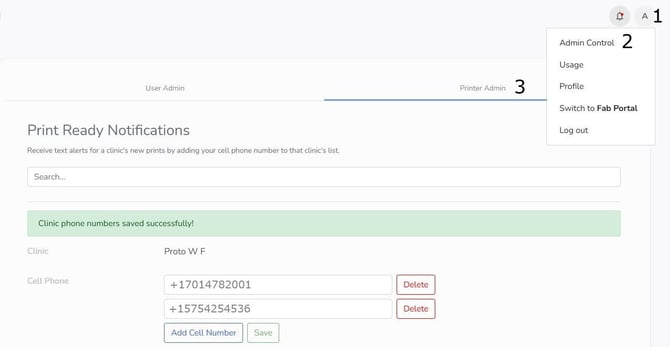
Admin Control is split amongst 2 sections. User Admin and Printer Admin.
- User Admin - Only usable by Super Admins
- Printer Admin - Usable by Printer Admins and Super Admins
User Admin : How to invite a new user to your Clinic
As the Super Admin, you can invite new users to your clinic's FabOne so they can start placing orders:
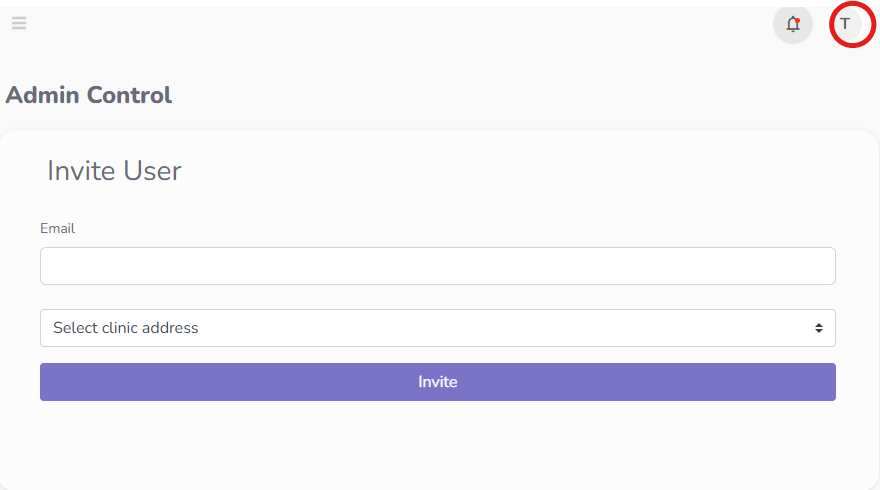
- On the top right corner of your FabOne homepage, click the icon for your user profile, then select "Admin Control"
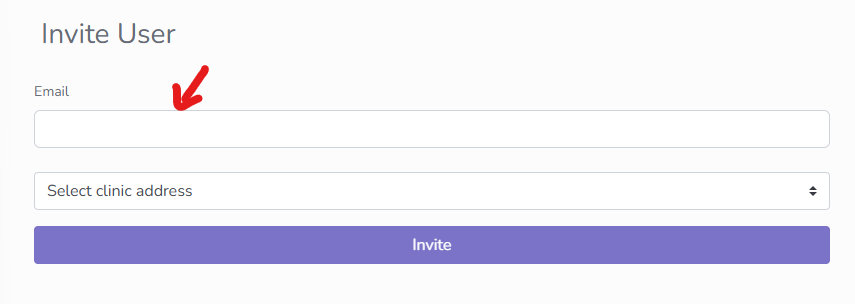
- Insert the new user's email, and the correct address from the dropdown. Then click invite!
User Admin : User Rights:
- You can allocate different rights to users under your clinic; simply type in the name of the user in the search bar ( their email and details will populate below), highlight the rights you want them to have, and click "Save."
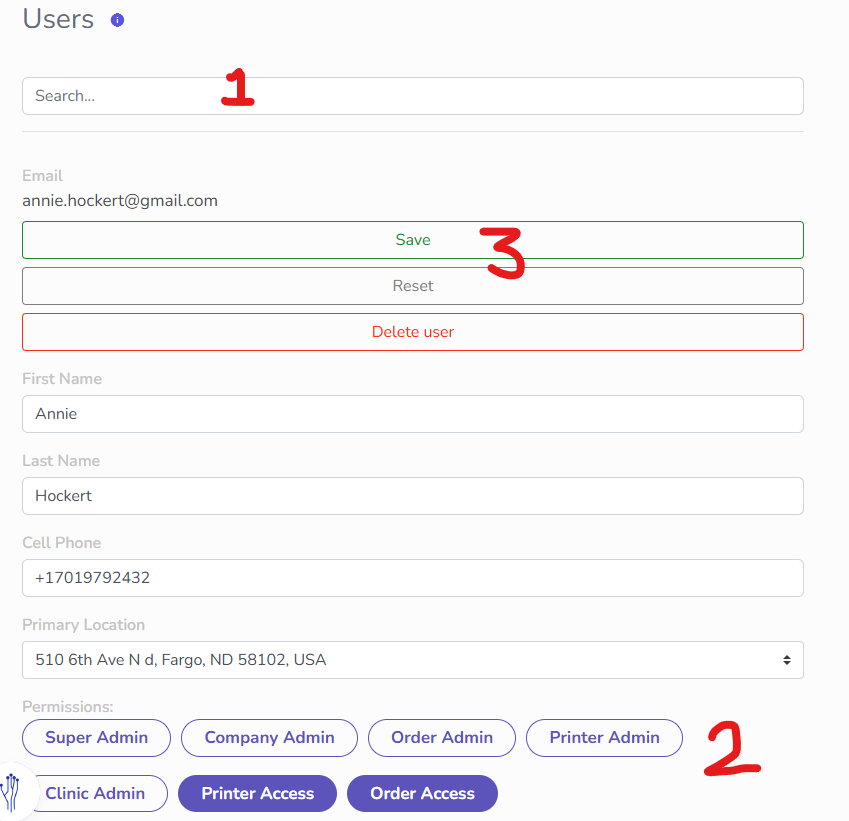
The User Rights are as follows:
- Super Admin: All Company Admin permissions + access to Admin Control Page.
- Company Admin: Manage all orders, all scans and all printers across all clinics.
- Order Admin: Manage all orders across all clinics. This does not allow you to see other clinician's scans.
- Printer Admin: Manage all printers across all clinics.
- Clinic Admin: Manage all orders and printers at your primary clinic. This does not allow you to see other clinician's scans.
- Printer Access: Manage only the printer at your primary clinic.
- Order Access: Manage only your own orders.
Printer Admin : Print Ready Notifications
- Printer Admin allow you to change what phone numbers receive text messages for each clinic.
- Select Add Cell Number
- Type in the Phone Number following the (+1XXXXXXXXXX) format and click save